marketgoo

Content auto-optimization

AI-powered, automated content optimization for non-technical users.

Role
Senior Product Designer
Focus
AI · Activation · Retention
Team
2 product · 4 engineers
Stack
Figma · Posthog · Metabase
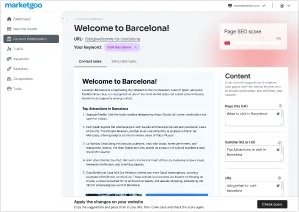
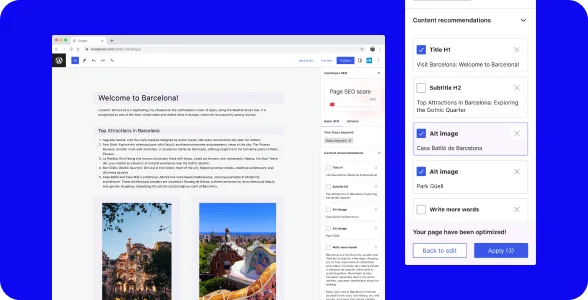
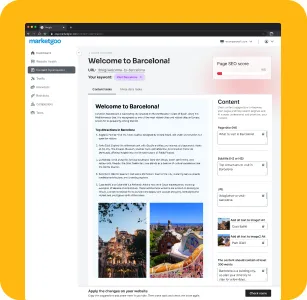
marketgoo content optimization dashboardmarketgoo content recommendations panel

repeat optimization rate

~20% → ~40%

Users came back to optimize again, roughly double the previous rate.


OPTIMIZED pages per user

1-2 → 4-5

When users returned, optimizing a page cost almost nothing, so they optimized much more of their site


SEO score

+15%

More pages completed translated directly into measurable improvements in overall SEO performance.

We supported business and sales, and partners got the modern, AI-powered product they were asking for, which is what kept them renewing.

Context

Business Context

marketgoo helps website owners (usually small business owners) improve their SEO without needing technical knowledge. The product simplifies the complexity of SEO into actionable tasks. Users just complete them.

By 2025, partners were raising the same question: where's the AI? Competitors were moving fast, and partners needed to show their users a smarter, more modern product to keep retention.

From our continuous research we knew where users struggled most and where AI could have the biggest impact: content optimization. A complex, time-consuming task that was a real pain for users, and an area where AI could directly help them and increase recurrence.

Product

marketgoo Webapp + WordPress plugin

Business goal

Increase retention and AI-powered features

Constrains

One feature, two different platforms, one small team

Problem Framing

Illustration of a person leaning back at a desk

The brief from the business was simple: add AI, increase retention. Our job as product was to figure out where AI would actually help users, not just check a box for partners.

Content optimization was the most-used section of the product, but also where users struggled the most. Tasks were long and dense. A single decision, choosing a keyword, was difficult for non-expert users and cascaded into a full list of dependent tasks. Users had to think like SEO specialists just to complete a workflow that was supposed to simplify things.

The real problem wasn't missing AI. It was that optimization asked too much from people whose main job had nothing to do with SEO and who had very little time for their website. Adding AI here was a chance to kill two birds with one stone: fix a broken flow for users and give partners what they needed to stay.

Reframed brief

Use AI to do the work users shouldn't have to do, keeping them in control

Target user

Small business owners who need to rank but have no time or interest in SEO

Key friction

Keyword selection blocked everything else, long task lists, no sense of progress

marketgoo context overview

Goal & Hypothesis

Goal

The main goal was recurrence: getting users to come back and optimize more pages, not just once. The more they came back, the more value they got, and that's what keeps users subscribed and partners renewing.
Repeat optimization rate
Pages optimized per user
SEO score improvement

Hypothesis

If we automate the most time-consuming and cognitively demanding parts of the flow, users will come back to optimize more pages, more often, resulting in better SEO scores and higher retention.

Strategy & Trade-offs

Let AI handle the work, keep users in control of the outcome, and adapt the experience to what each platform can actually do.

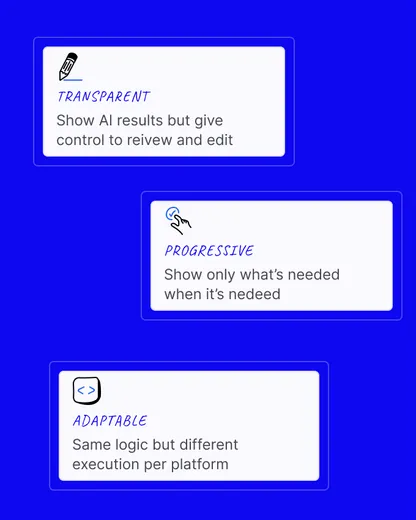
Design principles: Transparent (show what it's doing and why), progressive (reveal information only when needed), adaptable (same logic, different execution per platform).

Focus

Low effort, clarity at each step and consistency across both platforms. Each optimization had to feel quick and simple, so users would come back and do more.

Left out

Full automation without user control. Users needed to feel in charge of their own website.

Trade-offs

  • Automation and AI vs. control
  • Consistency vs. platform fit
  • Scope vs. time
  • Cost vs. capability

Design process

Discovery

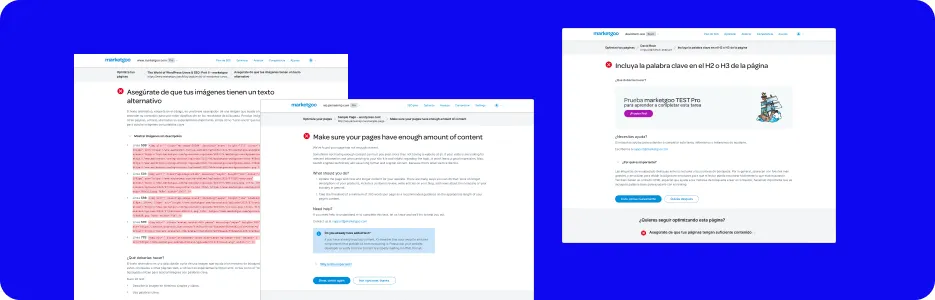
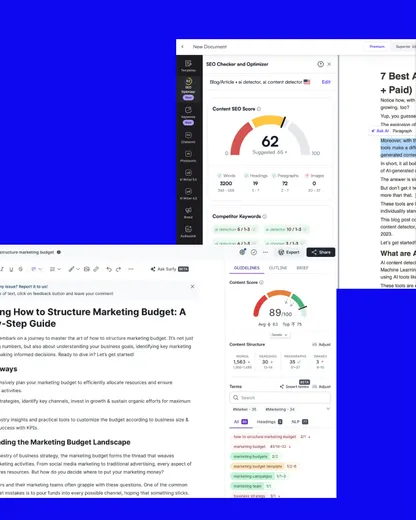
We reviewed screen recordings, analysed usage data, and ran a competitor analysis focused on AI-assisted SEO tools.

The recordings made one thing very clear: users were spending too much time on keyword selection, often without completing it at all. Competitors had AI-powered optimization, but their solutions were too complex for our users. That gap was our opportunity.

Key Insight

Users weren't failing because they didn't care. They were failing because the product asked too much from them.

Define & Plan

With that understanding, we defined what the solution needed to do: take over the decisions users shouldn't have to make, while keeping them informed and in control.

We established three principles early:

  • AI acts, users approve.
  • Show only what's needed, when it's needed.
  • Design for the platform, not against it.

We also made a critical product decision here: we would not build a generic AI feature. We would redesign the optimization flow around AI, with automation as the default and manual control as the option.

Critical Decision

We would not build a generic AI feature to optimize a page as other existing tools. We would redesign the optimization flow for our users needs.

Ideate & Design

We explored different possible solutions, starting from the existing flow and its pain points. The main challenge was the keyword selection, the element that decided the rest of the flow and where users got stuck.

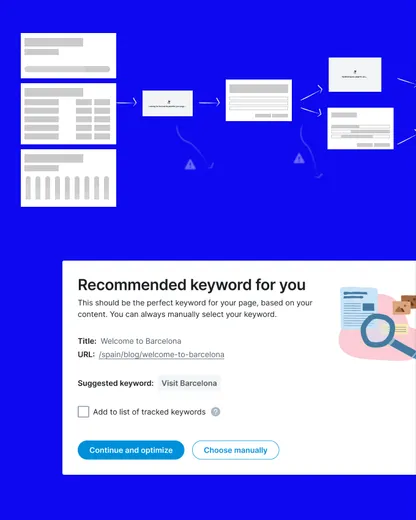
We rebuilt the flow putting keyword selection as a first separate step, with AI helping users through it. This part works the same way in both products.

The second part, the page optimization based on the keyword, needed a different solution for each platform. WordPress could apply the changes directly, the Webapp needed the user to do it manually. Following our principles, we looked for the right balance between AI automation and giving users the ability to decide.

Deliver & Iterate

We worked closely with the front-end and back-end throughout delivery. WordPress brought the most constraints: we focused on one editor to ship on time, and we had to adjust the flow slightly because changes needed to be saved and published before the AI could scan and review them again.

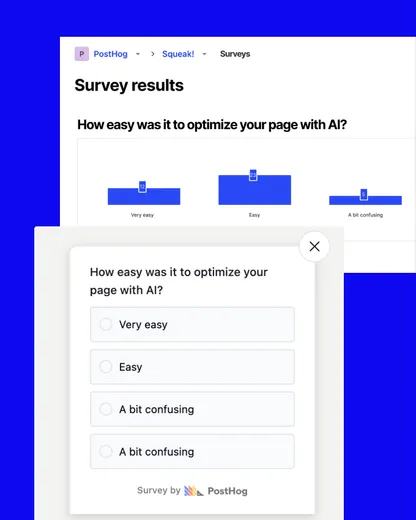
After launch we tracked adoption through usage events, ran a survey, and reviewed screen recordings. The data confirmed the direction.

We also had to define usage limits for the AI feature. Token costs were a real constraint, and basic plan users had a tighter cap to keep the feature viable at their tier.

Solution

One feature, two platforms, same logic.

  1. Select the page

    Pick the page to optimize

  2. Select the page

    Pick the page to optimize

  3. Set the keyword

    AI suggests by default but user can set it manually

  4. AI Optimize page

    Titles, content, alt text and meta data

  5. WordPress

    one-click

    Approved changes are written straight to the live page.

    • AI applies the changes directly
    • Publish in a single action
    • Page rescored immediately
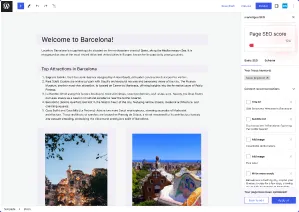
    marketgoo content optimization in WordPress
  6. Webapp

    guided

    No write access, so the user moves the content over themselves.

    • AI hands over the generated content
    • User copies and applies it to the site
    • Return to the app to check the score
    marketgoo content optimization in the Webapp
  7. Page rescored

    Both paths land on the same updated score and page optimized (or not)

    marketgoo design proposal mockup

RESULT: ~2 min → under 1 min per page

Under a minute per page, down from about two. On WordPress, a couple of clicks.

Key design decisions

  • Progressive disclosure

    One decision at a time. Users no longer faced a wall of tasks. They saw the next step, with everything they needed and nothing they didn't.

  • AI with visible control

    Every AI suggestion came with an edit option. Accept, modify, or skip. This was a trust decision as much as a UX one.

  • Specific execution

    Same experience logic, different execution. WordPress gets one-click apply, Webapp gets guided copy-paste.

Reflection

What the project taught me

  • What worked

    Reframing the brief. Starting from user pain rather than "add AI" led to a solution that actually changed how people used the product.

  • What didn't work

    Keyword quality. Long-tail suggestions are still limited. Users with specific niches don't always get the most relevant options.

  • What I would improve

    A smarter, context-aware keyword engine to suggest more precise opportunities. Also, a better answer for corner cases like pages with very little text.

  • Key learning

    When you reduce the effort, users engage more. Most users weren't avoiding SEO because they didn't care. They were avoiding it because the product made it feel harder and more time-consuming than it needed to be.

Next project

Smarter onboarding

A rebuilt onboarding flow that reduces friction and helps users reach value faster.

If you're looking for a product designer — or just want tochat about ideas — feel free to drop me a message.

Always happy to connect.

Let's talk